LGP Renderer for Alibre Design
Introducing LGP Renderer, a live renderer add-on for Alibre Design that turns your parts and assemblies into a rich, material-aware view without leaving the CAD viewport. Orbit, zoom, and pan as you already do in Alibre – the rendered view follows the camera.
Start with the colors already on your model, then assign photorealistic materials, adjust lighting and shadows, and export a still image when you are ready to share the design.
Drag the slider to compare the Alibre Design view with the LGP Renderer GPU view.
Live Rendering in the Viewport
See your model with physically based materials while you work.
The rendered view stays in sync with the Alibre camera.
Works with both part and assembly sessions.
Uses your existing Alibre part and face colors as a starting point.
LGP Renderer is built to stay out of the way of design work. Start the live view when you want to evaluate materials or present a model, stop it when you want Alibre’s native shading back. Rebuild the scene after model changes; your material assignments stay with the session so rolling a feature back and forward does not wipe the work you already did.
Drag the slider to compare the Alibre Design view with the LGP Renderer GPU view.
Lighting and Shadows
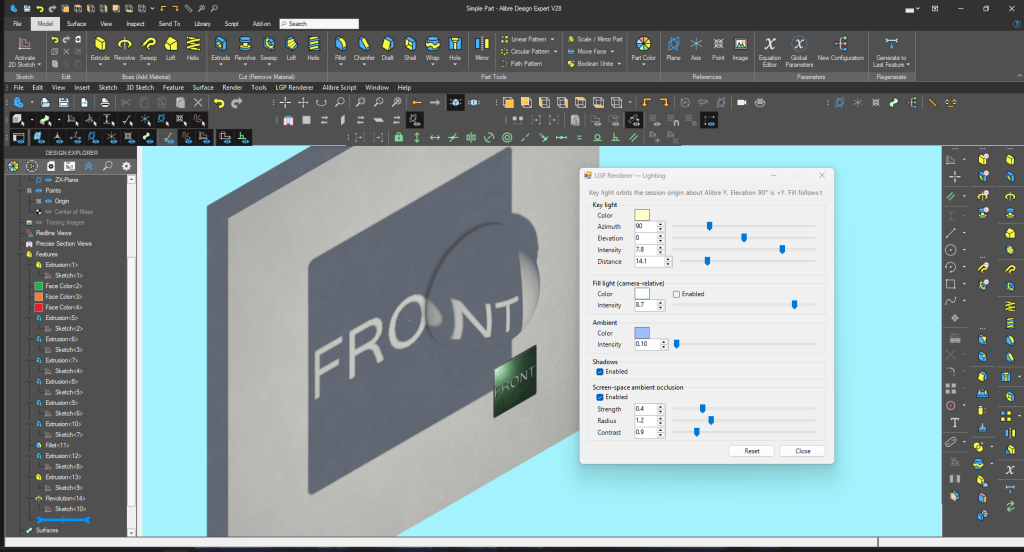
Aim a key light around the model and set its intensity, color, and distance – from nearby studio lighting to a distant sun.
Add a camera-relative fill light and a simple ambient term.
Turn on shadows that follow the key light.
Optional screen-space ambient occlusion for contact and crevice shading.
Lighting is interactive. Move a slider and the viewport updates immediately, so you can find a look that reads well for a review or a screenshot.
Scene Material Browser
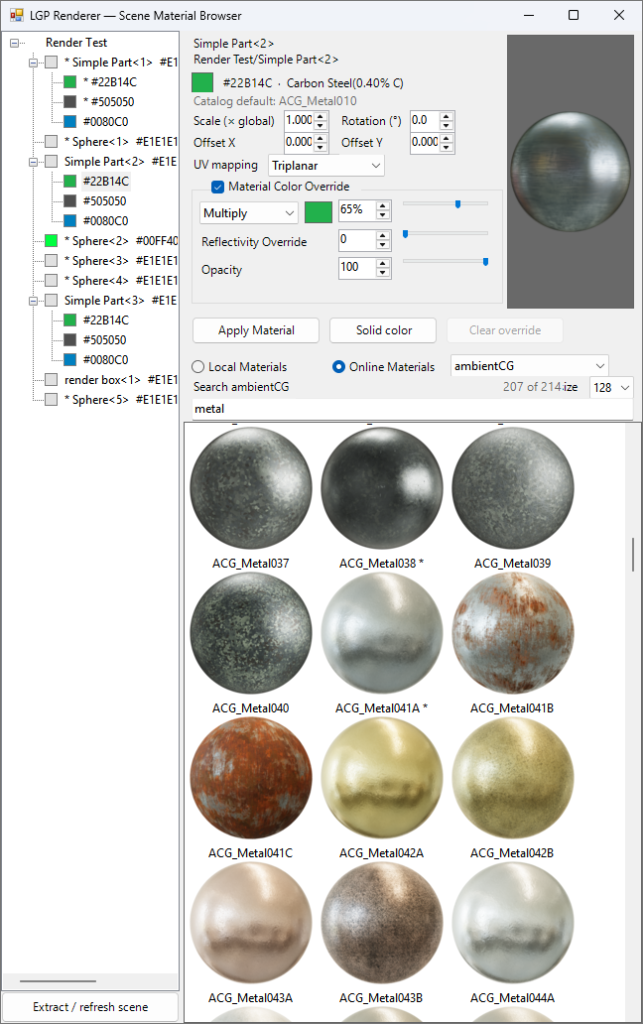
Assign a material to a part, an occurrence, or a color group on that part.
Browse local packs or search online catalogs (including ambientCG and other CC0 sources).
Control scale, rotation, offset, and UV mapping.
Tint, reflectivity, and opacity overrides when you need to match a brand color or a painted finish.
The Scene Material Browser is the place to dress the model. Pick a node in the assembly tree, choose a pack, and apply it. Linked instances that share a material can be edited together. When you are happy with the look, keep working in Alibre – the assignments stay with the session.
Default Material Curator
Map Alibre Design library materials to PBR packs once, then reuse those defaults across parts and assemblies.
Walk your Alibre material libraries and assign a pack to each name.
Save the map so new sessions pick up the same defaults.
The Scene Material Browser is for the model in front of you. The Default Material Curator is for the library behind it – so “Aluminum, 6061-T6”, “Carbon Steel(0.40% C)” and the rest of your Alibre materials already have a pack waiting when you start a render.
Quality, Export, and Saved Scenes
Quality settings for mesh density, smooth shading, and global material scale.
Export the current view as a PNG or JPEG. The suggested file name starts with the Alibre session name.
Save and open scene setups so lighting, materials, and camera can be recalled later.
When you need a still for a quote, a web page, or a design review, export the live view. When you want the same look tomorrow, save the scene and open it again on that design.
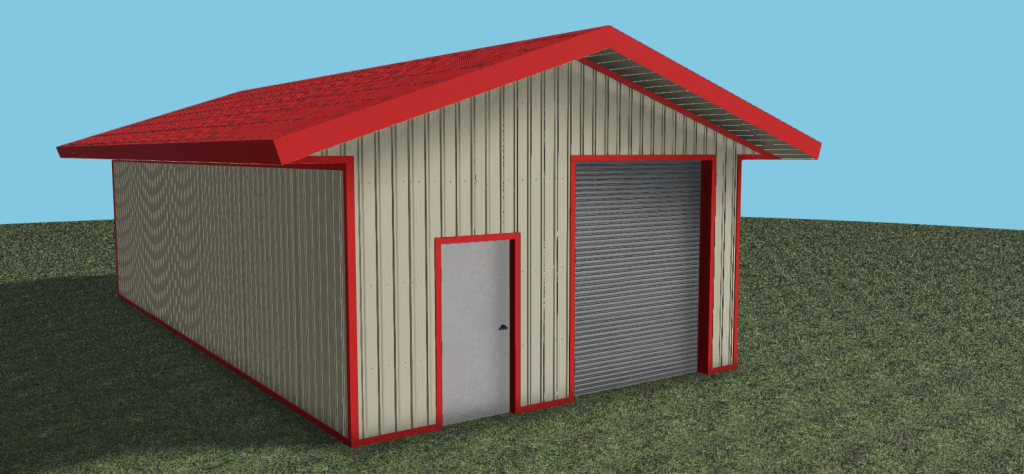
LGP Renderer is Useful For:
- Product visualization inside Alibre Design
- Client and design reviews
- Checking materials and finishes before you leave CAD
- Marketing and documentation images
- And many more!
LGP Renderer is designed to work as an Alibre Design add-on, so you keep using the CAD tools you already know. Start the GPU view when you want the extra presentation quality; stop it when you are back to modeling.
What About Software Updates?
LGP Renderer is a one-time purchase that includes minor version updates of LGP Renderer but not major version updates of LGP Renderer. I will do minor version updates of LGP Renderer even for major version updates of Alibre Design, but once I release a new major version I will no longer maintain the previous major version.
Alibre Design is Copyright © Alibre, LLC
Fan is modified sample model from Alibre and Copyright © Alibre, LLC